Microsoft has recently begun rolling out updates to Copilot Chat (Enterprise), available to faculty, staff and students at Iowa. These updates introduce several new features that can make drafting, editing, and research tasks more efficient, while continuing to maintain the data protection standards of the Enterprise version. Not all features may be available immediately to every user, as updates are released in stages.
Feature Highlights
Custom Instructions
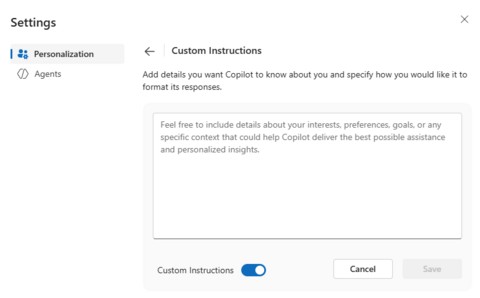
Copilot now allows you to provide guidance on how you would like responses delivered. For example, specifying tone, level of detail, or preferred formatting. This feature helps shape responses, so they are more aligned with your work style. Using custom instructions can reduce the amount of editing needed after Copilot provides an initial draft.
Memory
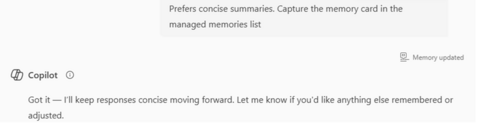
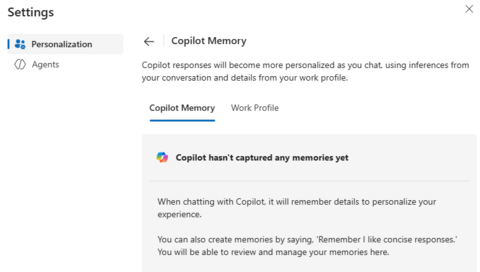
The new memory feature enables Copilot to retain your preferences across sessions. For instance, you might ask Copilot to remember that you prefer summaries in bulleted form or that you want answers kept under 200 words. These stored preferences can help ensure greater consistency in output over time. Memories can be reviewed, updated, or deleted at any time, and Copilot does not save them automatically. They must be explicitly set by the user.
Temporary Chat
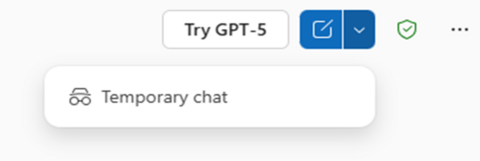
Temporary Chat works in contrast to Memory. When starting a new session with this option toggled on, nothing from that chat will be saved. This is useful if you want to explore ideas, test prompts, or ask one-time questions without affecting your saved preferences.
Forward-Slash Commands (/)
Typing / in the chat box opens quick commands that allow you to reference files directly in Copilot. At this time, these files come from OneDrive and SharePoint. Copilot will not search local servers, shared drives, or research databases. This feature can be particularly helpful when working with shared departmental files stored in Microsoft 365.

Export Pages to Microsoft Word
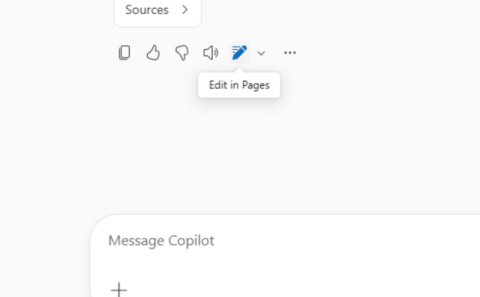
The new Pages feature allows you to open Copilot’s responses in an editable format. From there, you can refine the content and, when ready, export it directly into Microsoft Word for final formatting. Pages are stored in your Copilot workspace, and additional information about their use can be found in Microsoft’s online documentation.
Getting Started
To explore these new features:
- Open Copilot Chat
Go to copilot.microsoft.com or open Microsoft Teams and select Copilot from the left menu. - Access Custom Instructions and Memory Settings
- Click your profile icon in the top right corner.
- Choose Settings then Personalization.
- From there, you can enable Memory, add Custom Instructions, and set preferences for tone, detail, and format.
- Use Temporary Chat for one-off sessions
Enable Temporary Chat before starting a conversation to keep it from being saved. - Work with Pages and Word
After generating content, open it in Pages to refine, then select Open in Word for additional editing or formatting.
Support
If you have questions about these features or would like help identifying use cases, contact ITS-AISupportTeam@uiowa.edu. To receive monthly updates on AI tools and resources at Iowa, subscribe to the AI at Iowa Newsletter. For additional information and campus resources, visit the AI Hub.