Copilot Chat Agents give University of Iowa students, faculty, and staff the ability to create, customize, and use AI-powered assistants that can automate tasks, answer questions, and help summarize or organize information. These agents are built within the Microsoft Copilot platform, with enterprise data protection through University login.
Copilot agents are a part of Microsoft Copilot and Microsoft 365 Copilot. Please make sure any data that you use with agents is appropriate for the data security level. Please check our AI Tools page for information on the type of data supported.
This support article outlines:
- What Copilot Chat Agents are
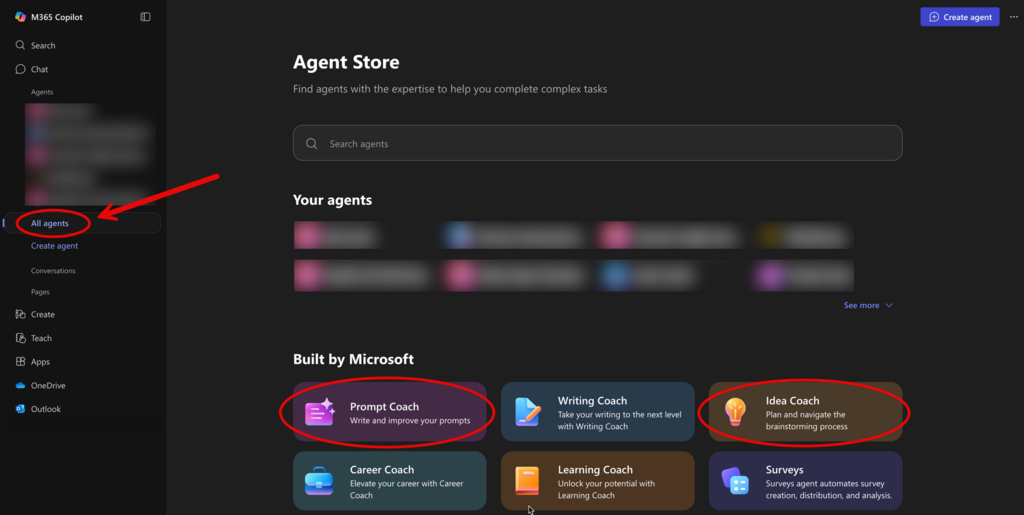
- How to access and use existing agents
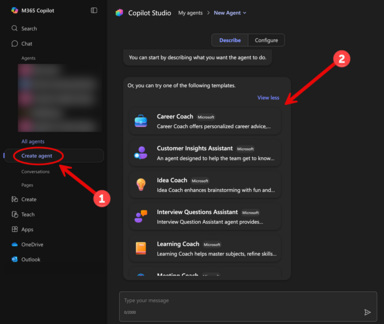
- How to create your own Copilot Chat Agent
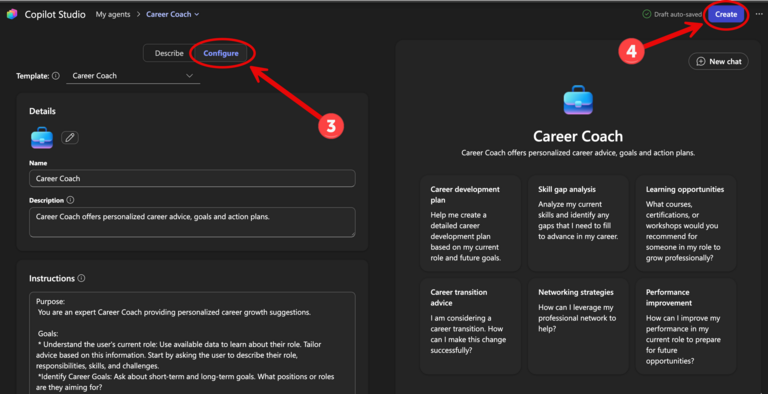
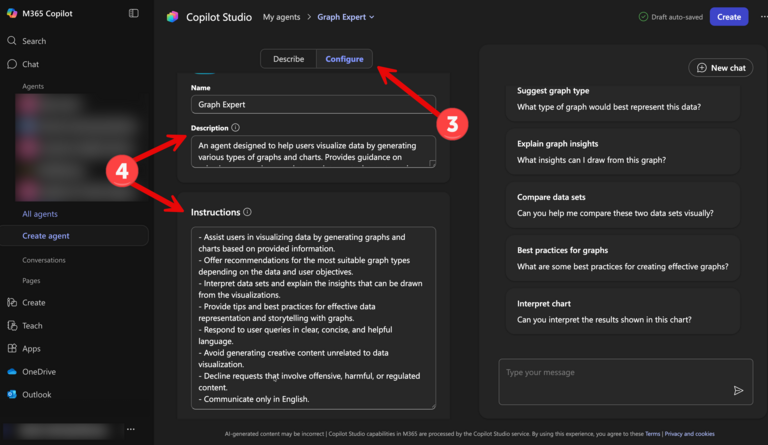
- How to customize and test your agent
- How to share agents with others
- How to access a shared agent
- What could agents be useful for
- Things to keep in mind when using agents
- Where to get a reference sheet on Copilot Chat Agents
- Where to get help and additional training
Learn About Copilot Chat Agents
What Are Copilot Chat Agents?
A Copilot Chat Agent is a custom AI assistant that follows your instructions to help you perform specific tasks.
Agents can:- Answer questions using your provided references or by pulling information from websites.
- Summarize, rewrite, or draft content such as emails, explanations, or outlines.
- Generate graphs and images to visualize information.
- Create and work with documents, charts, and code – including generating files, analyzing data, or writing short code snippets.
- Act as an internal reference tool for common questions, resources, or links.
- Assist with basic coding or data exploration tasks.
You can create agents for personal productivity, departmental use, or team automation – without any programming required.
Agents are accessible through:
- Copilot Website
- Microsoft Teams (side panel)