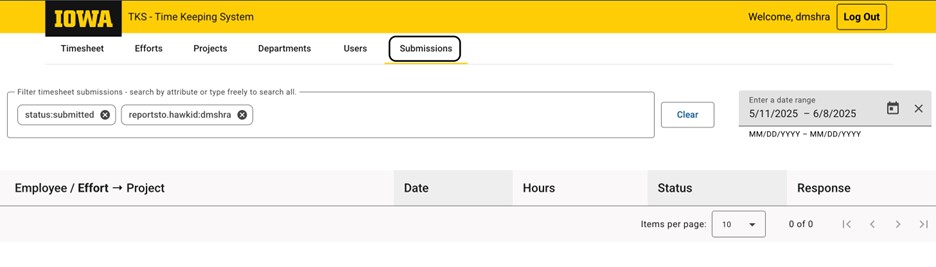
Once you login to the Time Keeping System, click Submissions. The system will populate a list of timesheets submitted. Date Range can be adjusted from top right of the screen.
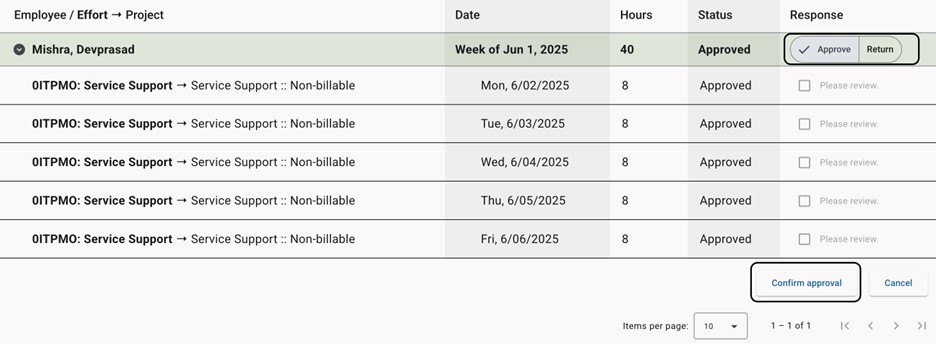
To Approve or Return the time sheet, select the appropriate button under Responses. The system will show the breakdown of hours spent in each project. If everything is as expected, select Confirm approval at the bottom right of the screen.
If a time sheet needs to be returned, select the Return tab and the hours to be reviewed. There is an option to add comments, if necessary. Click Return for Review.