
Starting April 15, 2026, there will be an update to how Copilot is available in some Microsoft 365 apps for users who use Copilot Chat, which is available to all faculty, staff, and students on campus. This change impacts where Copilot appears, not whether you can use Copilot for content creation and support.
Please note: this change does not affect users with the elevated Microsoft 365 Copilot license.
What’s changing?
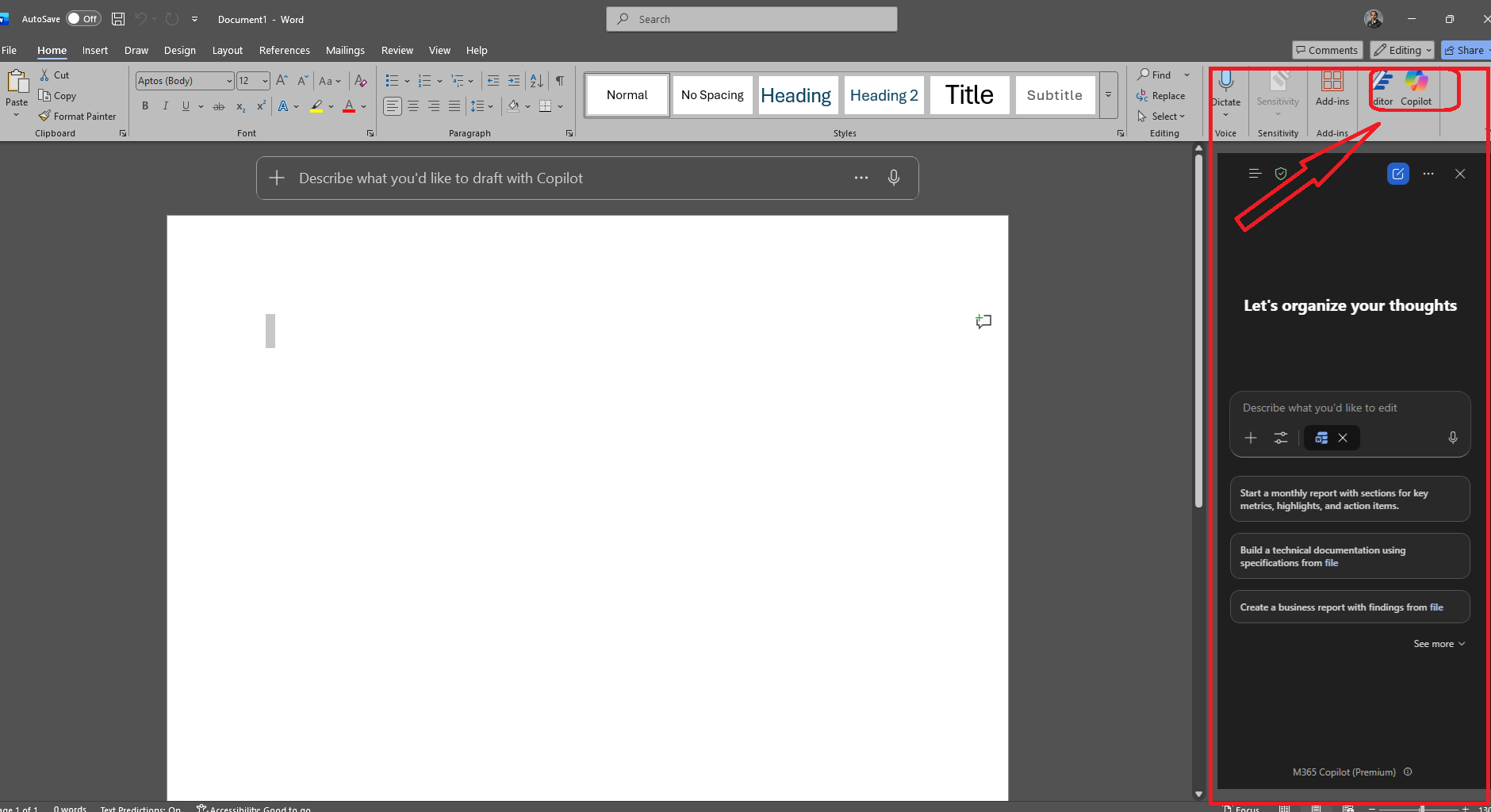
Beginning April 15, Copilot will no longer be available directly inside Word, Excel, PowerPoint, and OneNote for Copilot Chat users.
Example of current feature in Microsoft Word:
What’s staying the same?
For users with the basic plan of Copilot Chat, most features and functionality remain unchanged:
Copilot Chat continues to provide:
- Secure, AI-powered web chat through Edge browser or Google Chrome
- Chat-first content creation using Word, Excel, and/or PowerPoint documentation within the Microsoft 365 Copilot interface
Copilot in Outlook remains available, including:
- Inbox and email assistance
- Calendar help for meeting preparation and summaries
Frequently Asked Questions
Do I need to do anything before April 15, 2026?
No action is required. Changes will update automatically.
Will Copilot Chat still be available?
Yes. Copilot Chat will continue to be available and includes secure AI web chat and chat-based content creation tools available in the Microsoft 365 Copilot interface.
Can I still create documents, spreadsheets, or presentations using Copilot?
Yes. You can continue using Copilot Chat in the web-based interface to create documentation for Word, Excel, and PowerPoint. The change affects in-app Copilot access, not chat-based creation.
Is Outlook impacted by this change?
No. Copilot will continue to be available in Outlook, including inbox and calendar features.
Will Copilot still be available in apps if I have a Microsoft 365 Copilot License?
Yes, with an elevated Microsoft 365 Copilot License, you will have Copilot directly embedded in Word, Excel, PowerPoint, or OneNote.
If interested in the full Copilot experience, you can work with departmental or IT leadership to obtain a Microsoft 365 Copilot license and review the Microsoft 365 Copilot webpage Page.
Questions and support
If you have any further questions, please see our How to Use Copilot Chat webpage or email us at ITS-AISupportTeam@uiowa.edu. Follow the AI at Iowa newsletter and explore AI resources on the ITS website