These instructions will also work for other applications available on the Software Download Site. If you have issues during this process, please contact the ITS Help Desk

Note: If you have a managed UI computer, contact your local IT support consultants or check Windows Software Center or MacOS Self Service first as EndNote may already be available to you.
Install EndNote for Windows

Important Note: After downloading the installation files, you must extract all files from the zipped folder for the installer to be able to detect and configure the license key. If you have any issues with this process, please reach out to the ITS Help Desk for support. 

Installation on Windows PCs:
  1. Sign-in to the Software Download Site.
  2. Scroll down the page and click on the folder for EndNote.
  3. Select the Windows folder.
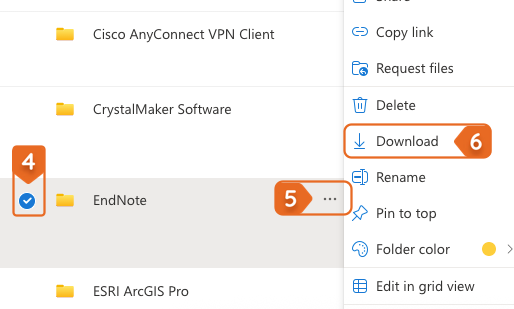
  4. Check the circle next to version of EndNote you need, either EndNote 21 or EndNote 25.

    steps 4 - 6 download and install EndNote
  5. On the same line to the right, click on the three-dot menu to display the More Actions menu.
  6. On the menu that opens, select Download.
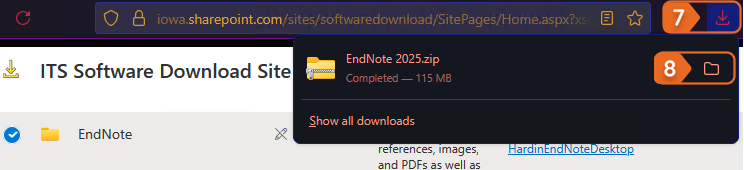
  7. Navigate directly to your computers Downloads folder or navigate to it through your web browser by clicking on the Downloads button on the top menu bar.

    steps 7 to 8 download and install EndNote
  8. Select the folder icon to the right of the download to open the downloads folder.
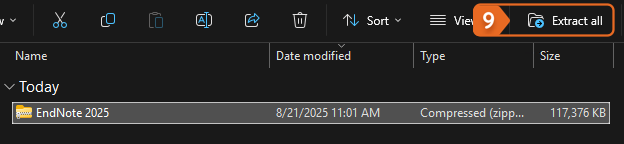
  9. In the window that opens, select the downloaded file and then click Extract all on the top menu.

    Step 9 to download and install EndNote
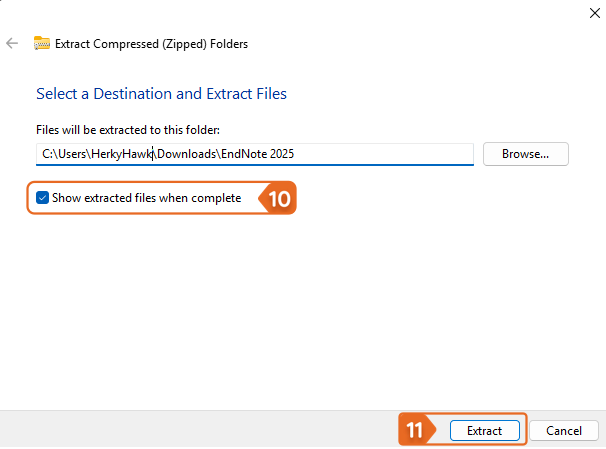
  10. Check the box for Show extracted files when complete.

    Steps 10 and 11 download and install EndNote
  11. Click the Extract button.
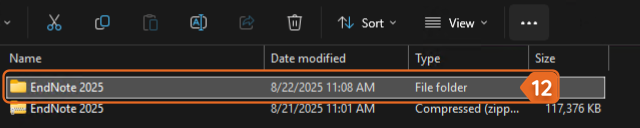
  12. Run the installer from the new unzipped file.

    Step 12 download and install EndNote


Install EndNote for macOS

Installation in macOS
  1. Sign-in to the Software Download Site.
  2. Scroll down the page and click on the folder for EndNote.
  3. Select the macOS folder.
  4. Check the circle next to version of EndNote you need, either EndNote 21 or EndNote 25.
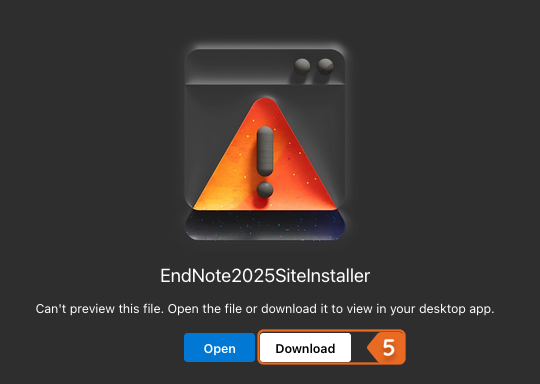
  5. In the new tab that opens, click the Download button. 

    Start EndNote download macOS
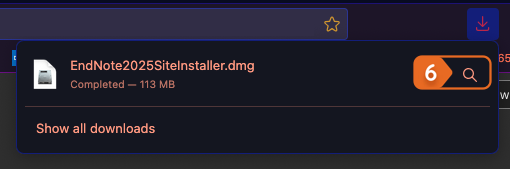
  6. When the download completes, click the magnifying glass icon to Show in Finder.

    Show in finder EndNote macOS
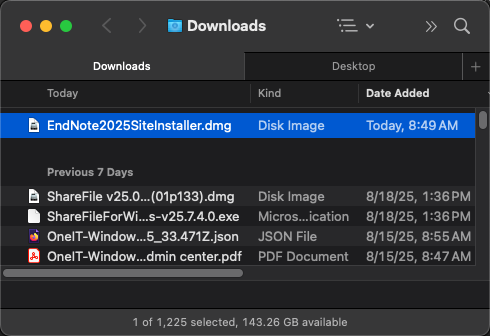
  7. Double-click the Disk Image (.dmg) file.

    Disk image file EndNote macOS
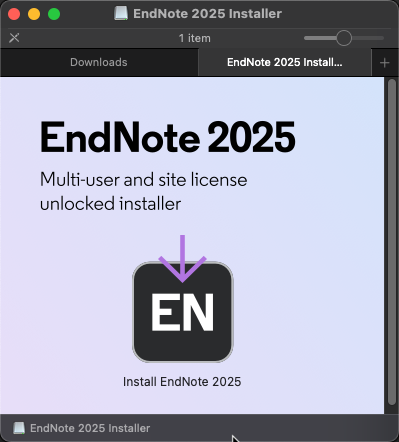
  8. In the new Finder window or tab, double click on the Install EndNote icon.

    Install from Finder macOS
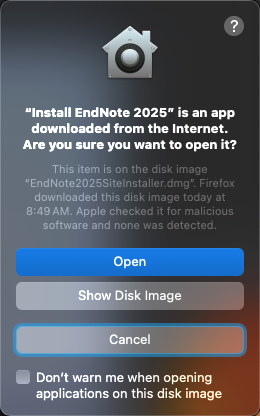
  9. If you get the following warning from macOS, select Open.

    File from the internet warning macOS
  10. Install EndNote.

    EndNote installer macOS
Last updated
Article number
10061