If Skype for Business is still installed on your Windows computer, you can remove it by running the Repair option for Microsoft 365 Apps for enterprise in Software Center.
Step 1: Open Software Center
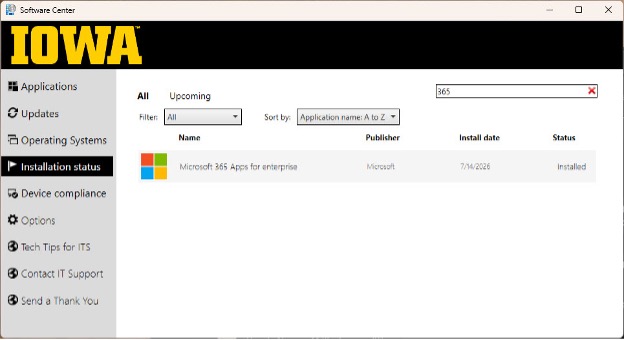
- Open Software Center from the Start Menu.
- Select Installation status in the left navigation pane.
- In the search box, type 365.
- Select Microsoft 365 Apps for enterprise from the results.
Step 2: Run the Repair
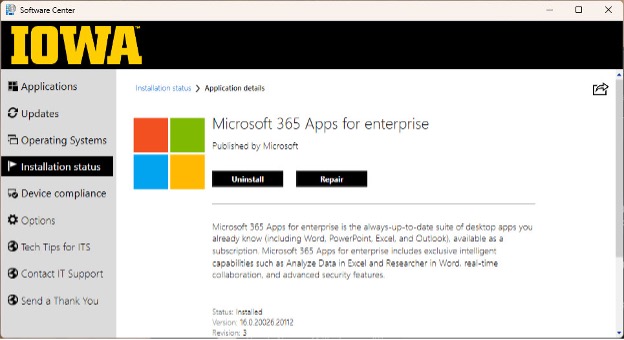
- On the Application details page, select Repair.
- Wait for the repair process to complete.
- Restart the computer if prompted.
What the Repair Does
The repair process reconfigures the Microsoft 365 Apps installation and removes Skype for Business while keeping the Microsoft Office applications (Word, Excel, PowerPoint, Outlook, etc.) installed and up to date.